Printable Weight Loss Tracker: When Paper Works and When You Need the Math
Printable weight loss tracker guide: compare a paper weigh-in page with a spreadsheet, then work through a 7-day average and change since start.
By Ultimate Fitness Tracker by Cosmo Suite · Editorial policy
Published · 8 min read
A printable weight loss tracker gives you a dated place to write weigh-ins and measurements. It works well when you want a simple paper record. The arithmetic stays with you: a page will not calculate a 7-day average or change since start.
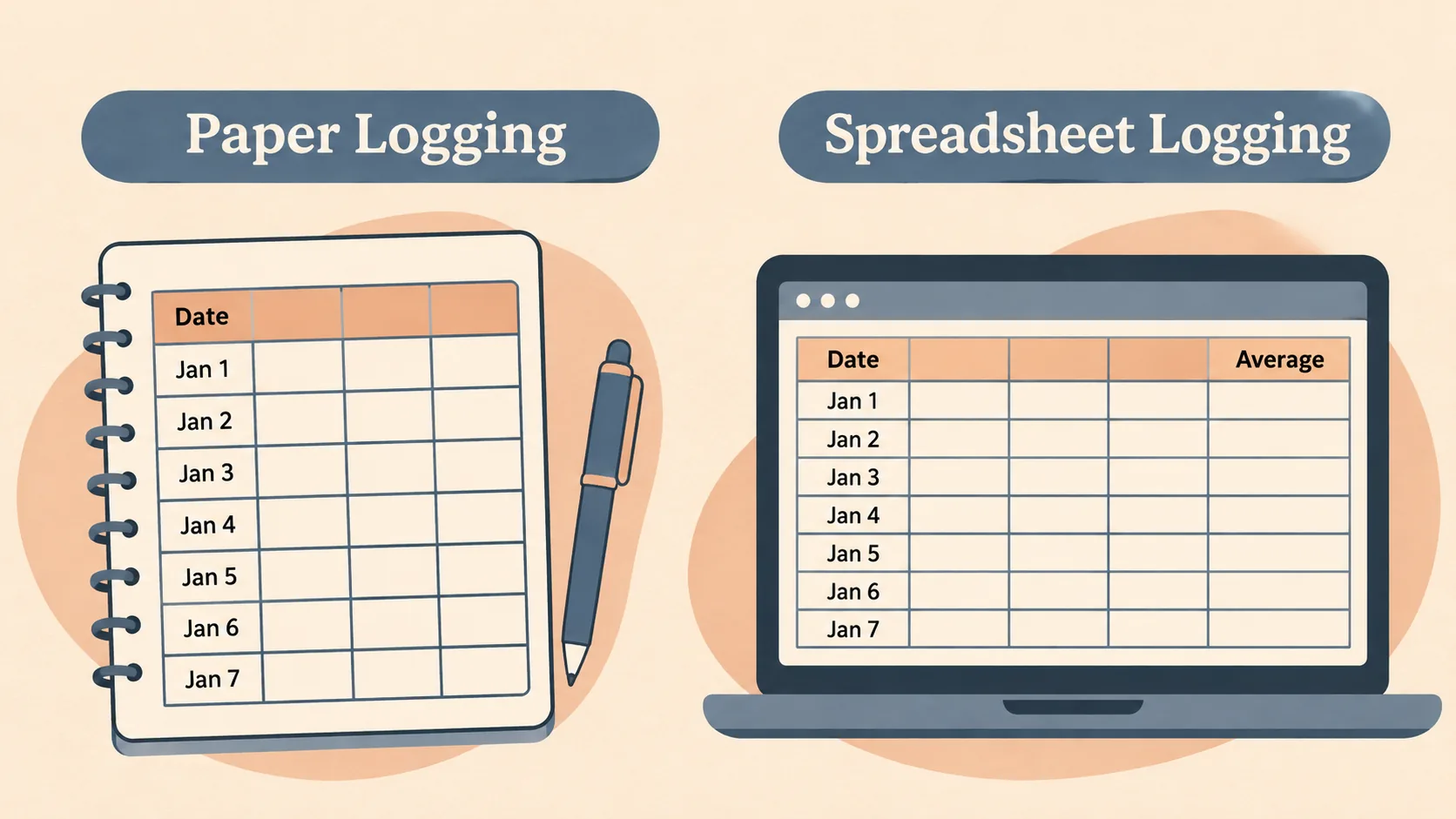
A spreadsheet can do those calculations as new entries arrive. The tradeoff is a screen and a file to maintain. You can also use both: write readings on paper, then move them into a spreadsheet when you want to review the trend.
This guide compares the formats and works through a short, fictional example by hand. Ultimate Fitness Tracker includes a printable monthly weigh-in and measurements page, alongside its spreadsheet tabs. The monthly printable and spreadsheet tracker keep paper recording and automated calculations in one place.
The Trend Line:
- Paper makes it quick to record a date and value.
- A 7-day average needs seven entries and a small calculation.
- The daily reading and change since start answer different questions.
- A blank day is missing information, not a zero.
What the Numbers Say
A paper tracker is a good fit for recording entries; a spreadsheet is more useful when you want the same calculations updated each time. Paper holds the original entry in your handwriting. A spreadsheet can reuse those entries for repeat calculations. A 7-day average is the arithmetic mean of the latest seven recorded weigh-ins; it summarizes that set of entries.
| Task | Printable page | Spreadsheet |
|---|---|---|
| Record a date and weigh-in | Write it in a row or box | Enter it in a dated row |
| Keep the unit clear | Label the page and each section | Select or label the unit |
| Calculate a 7-day average | Add and divide by hand | Use a formula |
| Compare with the first entry | Subtract by hand | Use a formula |
| Leave a missed date visible | Keep the date blank | Leave the row blank |
| Keep a copy without a device | Yes | No |
A printable can keep the record in sight. A spreadsheet can repeat the arithmetic without asking you to do it again. If you want to see both options, compare the printable and spreadsheet fields in a weight loss tracker template.
What a Printable Weight Loss Tracker Can Record
A useful printable needs a date, a value, a unit, and enough room to read your own writing later. If the page also tracks measurements, keep their dates clear so you can tell which entries belong together.
Before printing, check the page size and layout. A crowded sheet may leave too little space for handwriting. If you use pounds or kilograms, put the unit near the entries. For stone and pounds, keep the two parts distinct.
A month view can be convenient when you prefer to see several dates on one page. It can also make gaps easy to spot. Treat a blank as a day without a recorded value. The blank does not need a placeholder number.
Ultimate Fitness Tracker includes a monthly weigh-in and measurements printable in US Letter and A4. It is one of three printable bonus pages included with the spreadsheet. The paper page is for recording; its calculations are done by hand.
How to Work Out a 7-Day Average on Paper
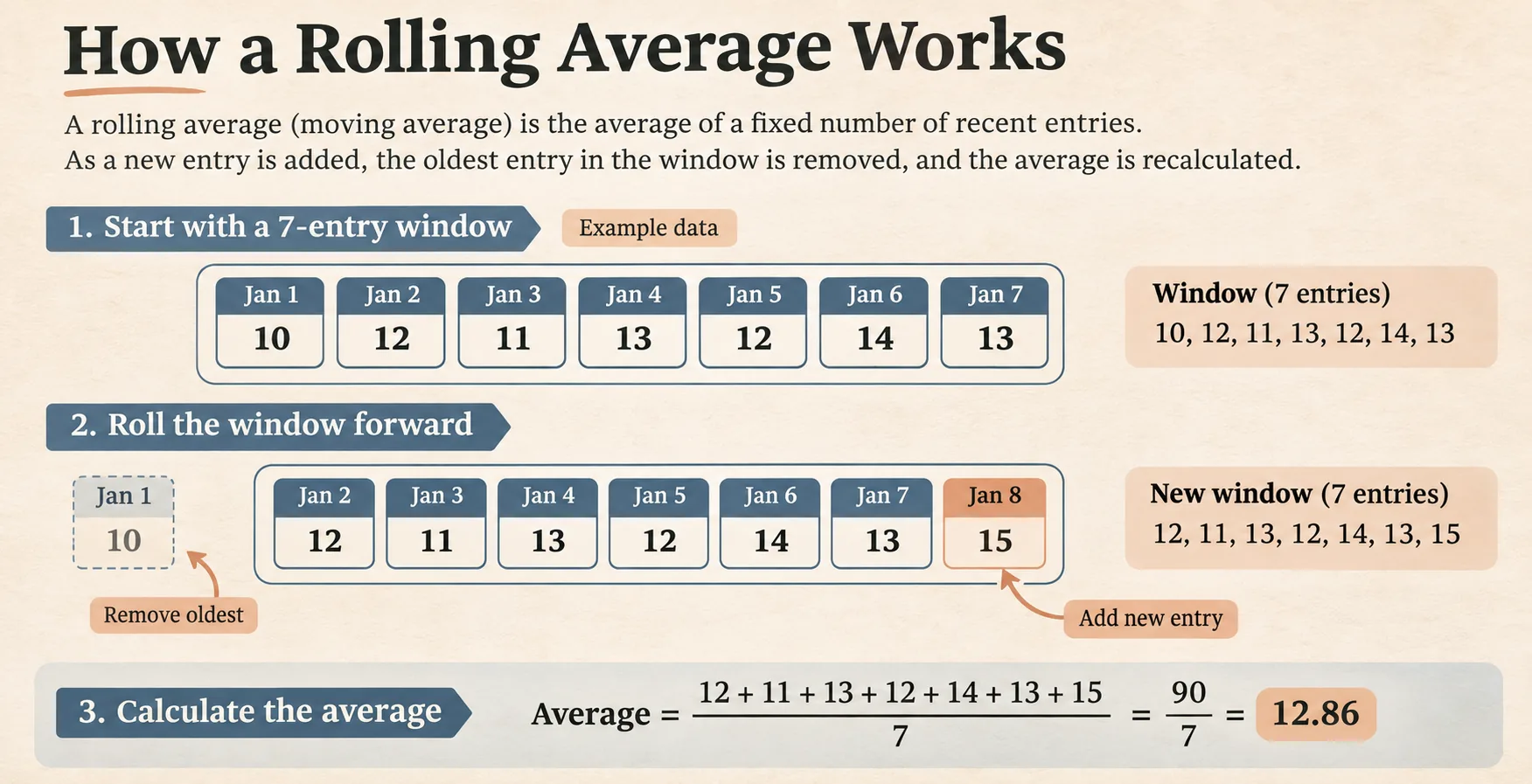
Add the latest seven recorded values, then divide by seven. Google Sheets and Excel both provide an AVERAGE function for the same calculation, as described in Google's AVERAGE help page and Microsoft's AVERAGE function documentation.
Here is fictional example data, in pounds. These values demonstrate the arithmetic and do not represent a typical result.
| Day | Weigh-in (lb) | 7-entry average (lb) | Change since day 1 (lb) |
|---|---|---|---|
| 1 | 180.2 | n/a | 0.0 |
| 2 | 181.0 | n/a | +0.8 |
| 3 | 179.8 | n/a | -0.4 |
| 4 | 180.6 | n/a | +0.4 |
| 5 | 181.2 | n/a | +1.0 |
| 6 | 180.4 | n/a | +0.2 |
| 7 | 180.7 | 180.6 | +0.5 |
| 8 | 179.9 | 180.5 | -0.3 |
| 9 | 180.9 | 180.5 | +0.7 |
| 10 | 179.2 | 180.4 | -1.0 |
For day 7, add the first seven readings and divide by seven. The result is 180.6 lb when rounded to one decimal place. For day 8, remove day 1, add day 8, and divide the new seven values by seven. The average is 180.5 lb.
Repeat that rolling step for each new entry. Day 9 is 0.7 lb above the first entry, while the 7-entry average remains 180.5 lb. On day 10, the reading is 1.0 lb below the first entry and the average is 180.4 lb. The daily comparison moves more sharply because it compares two individual readings.
Keep the calculation window visible. If fewer than seven values exist, leave the average empty or label it as a shorter average. Do not call it a 7-day average until it covers seven days, and do not treat a missing reading as zero.
When Paper Is the Better Fit
Paper is convenient when you want to write without opening a device or file. You can leave a page where you will use it, carry it in a folder, and see earlier entries together.
The math takes extra attention. After each new reading, you need to update the seven-value window, calculate the average, and subtract the first entry for change since start. A calculator can help, but the date and unit still need to stay beside each number.
For a paper-to-spreadsheet move, copy the entries in date order and keep the paper page until you have checked the first calculation. Compare the first seven-value total and average with your hand calculation. If those agree, check that later rows add the newest value and remove the oldest one in the window. Correct any transcription error before looking at the summary.
That small check separates a copied number from a formula problem. A wrong date can shift which seven entries belong in the average, even when every weight was copied correctly. Mark the unit on both records, especially if the two formats use different column labels. Keep the paper record as a reference until the new rows match.
A printable also stays limited to the fields on the page. If you want to keep measurements, photos, or workout details alongside weigh-ins, check whether the page has enough space. A spreadsheet may be easier when the record has several kinds of entries.
Choosing a Page Layout That Stays Readable
A useful page makes the next entry obvious. Put the date beside the value, label the unit near the column, and leave enough space for handwriting. If the page includes measurements, give each site its own label so two entries can be compared later.
A monthly grid keeps dates together, while a simple list gives more room for notes. Pick the shape that matches what you will record. A crowded page can make a quick log slower, and a large sheet may be awkward to carry. Preview one copy at its actual print size before making a stack.
Keep the blank dates visible. If a day has no reading, leave its space empty. The page then shows which values exist without asking you to fill every box. When you move the record to a spreadsheet, keep the dates with the values so the order remains clear.
When a Spreadsheet Is the Better Fit
A spreadsheet is useful when you want calculations to update from the values you enter. For example, a simple AVERAGE formula can calculate a selected group of seven cells. Google and Microsoft document the function for their spreadsheet programs.
You still need to check the formula range and unit. A formula that includes the wrong rows can give a neat-looking number that answers the wrong question. Keep the included dates visible and verify the first calculation with a calculator.
The weight loss tracker spreadsheet guide shows a longer example of dated entries and a 7-day average. The weight loss chart guide explains how to label daily points and an average line. Those examples can help you decide whether the math belongs on paper or in a file.
What to Check Before You Print
Preview one page before printing several copies. Microsoft explains how to use worksheet print preview to check page layout and paper size in its quick-start printing guide. Confirm that the dates, writing spaces, and unit labels are readable at the size you plan to use.
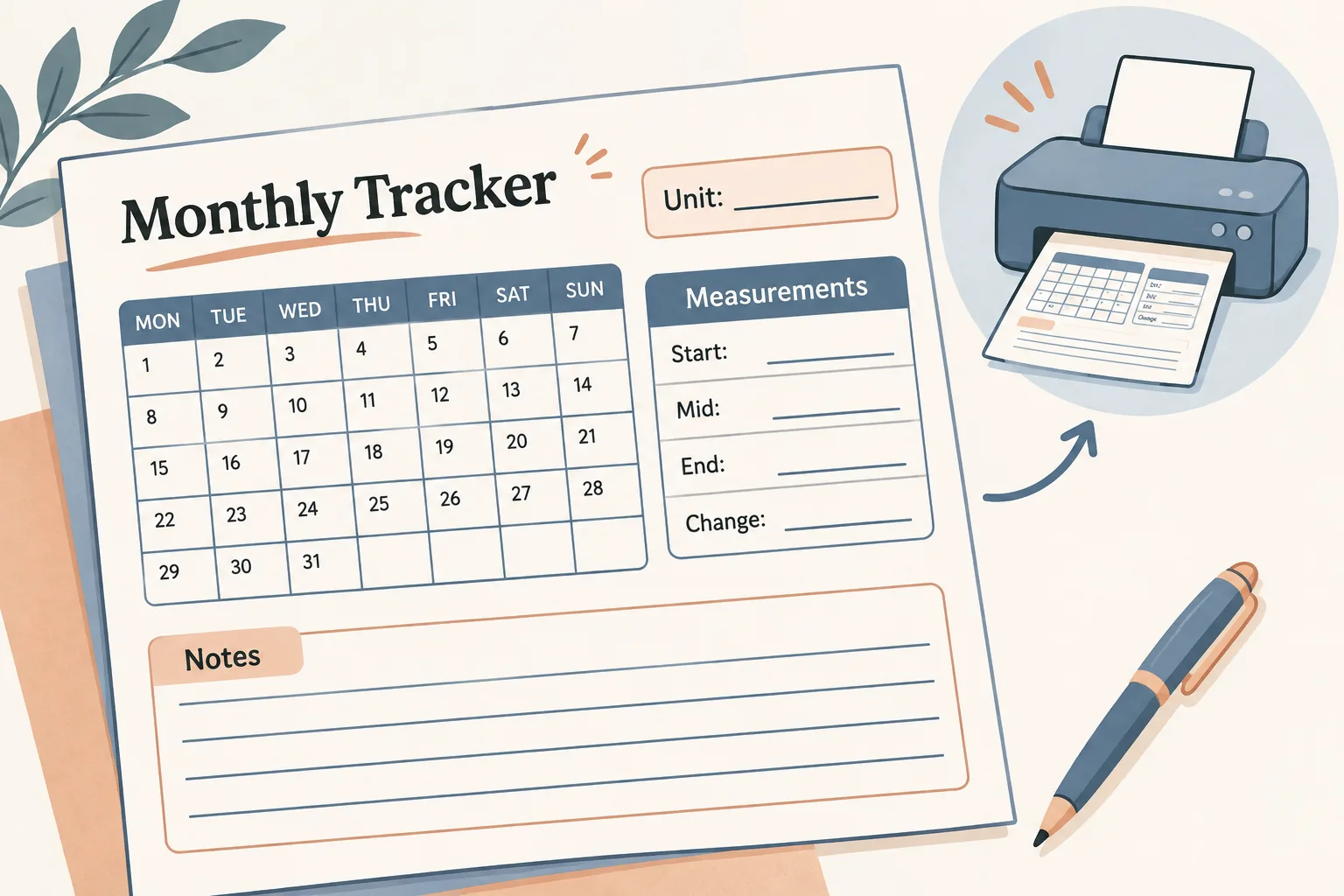
Then decide what the page is for. A weigh-in log can stay small. A monthly page that also holds measurements needs room for each entry and its date. Avoid squeezing in fields you will not record.
If you use the printable alongside a spreadsheet, choose one place as the main record. Copy the date and value exactly when transferring them. If the numbers do not match, resolve the entry before comparing summaries.
You can start with paper and move to a spreadsheet later; keep the same dates and units during the move.
Why Trust This Article
Ultimate Fitness Tracker is made by the Cosmo Suite team, which also publishes this guide. The product details describe its included printable and spreadsheet tabs. The arithmetic example is fictional and can be checked from the values shown. Google and Microsoft document the AVERAGE function in the sources linked above. This article covers recordkeeping and calculations, not medical or fitness advice. Talk to a qualified professional about health questions. Read the site's editorial policy, about the publisher or send a correction through the site contact page.
Where the Ultimate Fitness Tracker Fits
Ultimate Fitness Tracker is a weight loss and workout spreadsheet with 11 connected tabs in Google Sheets and Excel, both included. It includes a monthly weigh-in and measurements printable, plus two other printable bonus pages.
The spreadsheet keeps weigh-ins with a 7-day average and change since the last entry and since the start. The printable gives you a paper place to write dates, weigh-ins, and measurements. Its arithmetic stays manual.
If you want the paper page and the spreadsheet in one purchase, see Ultimate Fitness Tracker and its printable page. The product is your own file, paid once. Choose the paper page, the spreadsheet, or both formats based on how you prefer to record and review entries.
Frequently asked questions
What should a printable weight loss tracker include?
A useful page has a date, a place for each weigh-in, a clear unit, and room for notes. A monthly page can also include measurements. A paper tracker leaves averages and change calculations to you.
Is a printable or spreadsheet better for tracking weight?
A printable is easy to keep on a desk or in a folder and needs no device. A spreadsheet can calculate a 7-day average and change since start as you enter values. Choose the format you will keep using.
How do I calculate a 7-day average by hand?
Add the latest seven weigh-ins and divide by seven. On the next entry, drop the oldest value, add the new one, and divide the updated total by seven.
What if I miss a weigh-in?
Leave the date blank or mark that you did not record a value. Do not enter zero. Continue on the next dated row, and describe the calculation window accurately.
Can I use a printable tracker with pounds or kilograms?
Yes. Write the unit at the top of the page and use it for every entry. If you change units, convert all values before comparing them.
Does a weight tracker give health advice?
No. A tracker stores entries and may calculate summaries. It cannot explain why a number changed or diagnose a health condition. Talk with a qualified professional about health questions.
Sources
Keep reading
Weight Loss Tracking
Weight Loss Tracker Spreadsheet: Track the Trend, Inches and Workouts in One File
Weight loss tracker spreadsheet template: the 7 fields it needs, the 7-day average formula, and a 14-day worked example for Google Sheets and Excel.
· 7 min read
Weight Loss Tracking
Calorie Tracker Spreadsheet: Optional, Simple, and Next to Your Weigh-Ins
Calorie tracker spreadsheet basics: what to record, how to keep serving sizes clear, and when an optional calorie log may fit beside other records.
· 8 min read
Weight Loss Tracking
Weight Loss Tracker in Google Sheets: Set Up kg, lb or Stone in 10 Minutes
Weight loss tracker Google Sheets setup with kg, lb or stone, dated entries, and a simple formula in a clear personal record you can edit for regular use.
· 7 min read
