Weight Loss Tracker Template: What a Good One Tracks Besides the Scale
Weight loss tracker template checklist: 7 fields a good one needs, scored across printable, Notion and spreadsheet formats, with a worked example log.
By Ultimate Fitness Tracker by Cosmo Suite · Editorial policy
Published · 7 min read
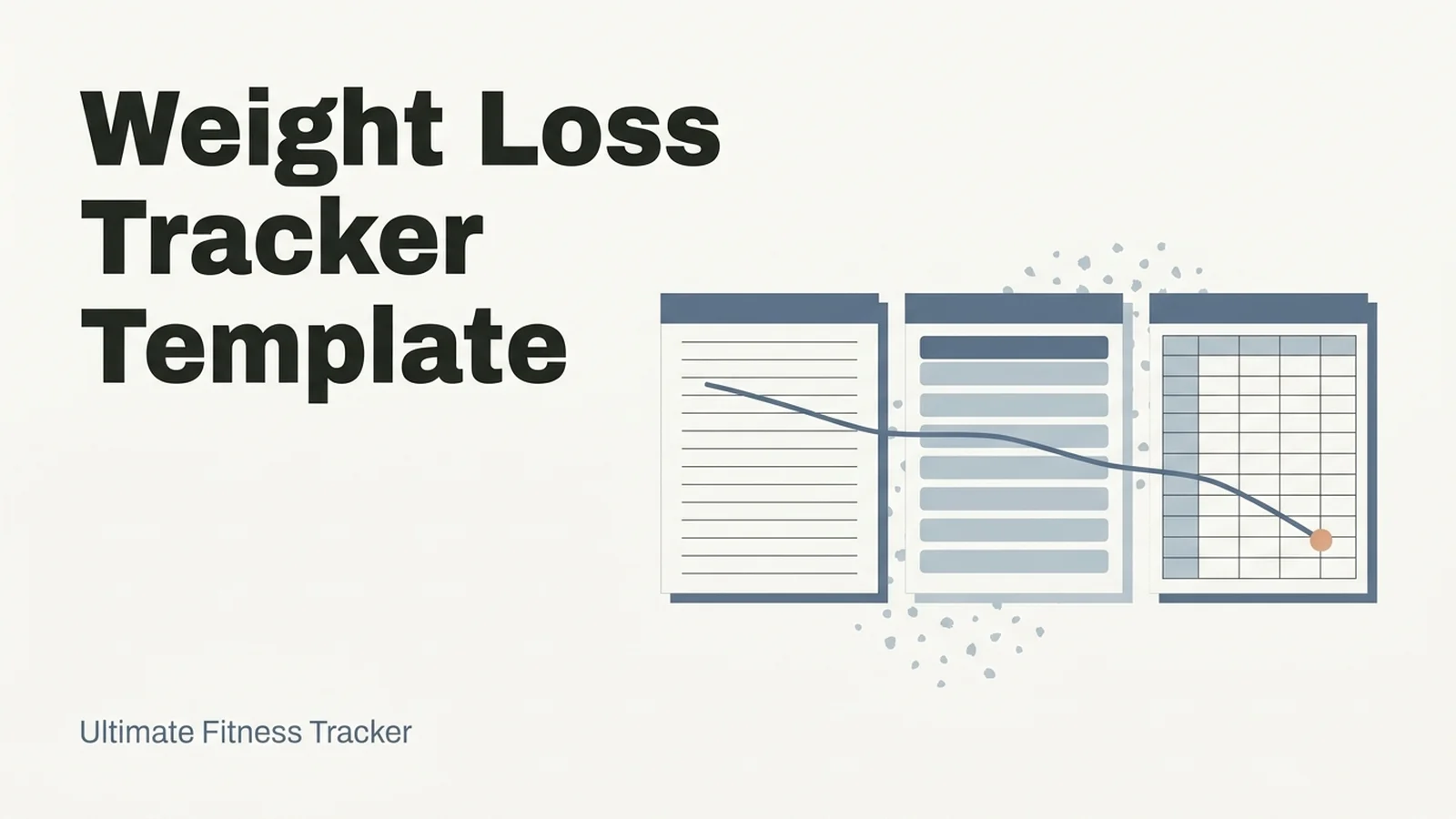
A good weight loss tracker template records more than the scale reading. It needs dated rows, a 7-day average beside each weigh-in, change since start, measurements, photos, your own units and no streak counters. Most free templates stop at date and weight.
That's the gap. A template that lists weights gives you a jumpy line, and one bad morning can feel like a verdict on the whole week. One that shows the trend and the other numbers is easier to stick with.
Below is a seven-field checklist, a comparison of printable, Notion and spreadsheet formats against it, and a short example log. Ultimate Fitness Tracker is the weight loss and workout spreadsheet we make, so it's covered near the end.
The Trend Line (key takeaways):
- Seven fields separate a tracker from a list of weights.
- The 7-day average is the number to read; a single weigh-in is noise.
- Printables are fast but do no math. Spreadsheets do the math. Notion sits in between and needs setup.
- Inches, photos and lifts often move when the scale doesn't, so a good template has room for them.
What the Numbers Say
Change since start is the current weight minus your first entry, and it is one of seven fields on the checklist. Every field in a template needs a job. This is the checklist we use to judge any template, and what each format typically does with it.
| Field | Printable page | Notion template | Spreadsheet |
|---|---|---|---|
| Dated rows | You write the date | Built in | Built in |
| 7-day average | By hand | Formula you set up | One formula |
| Change since start | By hand | Formula you set up | One formula |
| Measurements | Only if the page has a box | Extra database | Own tab |
| Progress photos | Paste or clip on | Attach to a page | Slots or links |
| Your units (kg, lb, stone) | Fixed by the design | Your choice | Your choice, if built for it |
| No streak counters | Yes | Depends on the template | Depends on the template |
[Unique insight] Read the table by columns, not rows. The printable column is mostly "by hand", which is fine for ten seconds a day and tiring for the math. The spreadsheet column is mostly "one formula", which is where a tracker starts doing work for you. The Notion column is flexible, but "formula you set up" is a real cost if you don't enjoy building.
Why Dated Rows Beat Daily Squares
A dated row is one weigh-in on its own line with its own date, so a missed week is a gap and not a reset. Many printable calendars use fixed daily squares, which turn every blank into a small failure. For example, three skipped squares in a row can look like a broken month, when it was only a busy week.
If you restart after a bad week, you want to add today's row and carry on. Nothing in the file should say you broke something. That is why we rule out streak counters in the checklist: a streak turns a normal pause into a loss.
What the 7-Day Average Does
The 7-day average is the mean of your last seven weigh-ins, and it is the one calculation a template should do for you. The Cleveland Clinic describes an average daily fluctuation of about 5 to 6 pounds, or 2 to 3 pounds in either direction, for people at a healthy weight (Cleveland Clinic, Weight Fluctuation). If that is the normal swing, a daily number is a weak signal on its own.
In a sheet it's one formula. On the seventh row, type =AVERAGE(B2:B8) and fill it down; Google documents AVERAGE the same way Excel does. If you'd like the full worked example with 14 days of numbers, we've put it in our weight loss tracker spreadsheet guide.
[Original data] Here is a short example log (invented for this post, in pounds, not a typical or expected result):
| Day | Weigh-in (lb) | 7-day average (lb) |
|---|---|---|
| 7 | 182.2 | 182.6 |
| 8 | 181.8 | 182.5 |
| 9 | 183.1 | 182.4 |
| 10 | 181.2 | 182.3 |
On day 9 the reading jumps 1.3 lb, and the average still goes down by 0.1. That is the number a template should put in front of you.
If you'd rather not build the formulas, a weight loss tracker spreadsheet that keeps the 7-day average beside every weigh-in has them linked already.
How to Test a Template in Five Minutes
Before you commit to any template, run one check: enter four weigh-ins from the last week, then see what it shows you. Four numbers are enough to find out whether the average updates, whether change since start fills itself in, and whether your unit fits.
Then look for three things. Can you enter a missed day without breaking anything? Is there a place for measurements and photos, or would you need a second file? And does the template ask you to pay, or sign up, before you have seen any of this? A template that passes all three is worth your first month of entries. One that fails any of them will probably be abandoned by week three.
Which Format Fits How You Log
Choose the format by how you log, not by how it looks.
Printable: quick, but you do the math
A printable fits people who want a page on the fridge and no screen. You'll work out the average and the change since start yourself, and photos don't fit on it. It suits someone who weighs once a week.
Best for: weekly weigh-ins and a low-tech routine.
Notion: flexible, if you like building
Notion is good at dated entries, notes and linked views. The average, the change since start and a chart usually need a formula or a view you set up, so open the template and check what it includes before you copy it.
Best for: people already living in Notion who enjoy tuning a setup.
Spreadsheet: the math is done for you
A spreadsheet in Google Sheets or Excel does the average, the change since start and the chart as you type. Homemade ones tend to break when formulas get copied wrong or units get mixed, so a tested file saves repair time.
Best for: daily weigh-ins and anyone who wants the trend without the work.
What Actually Moves Past the Scale
The scale is one reading. The CDC's advice for people starting out is to keep a record of food, activity and sleep, in a diary (CDC, Losing Weight). The Cleveland Clinic says writing weight down helps you follow trends, and makes course corrections easier when it's consistently up for days or weeks. Both are arguments for a record you can read back.
A template that holds more than weight gives you more to read when the scale stalls:
- Measurements: for example waist, hips and thighs, the same sites, measured the same way every 2 to 4 weeks, with change since start.
- Progress photos: dated, taken in the same light and place.
- Workouts: sets, reps and weight, with what you lifted last time beside each exercise.
- Notes: a short line about sleep or travel when it explains a number.
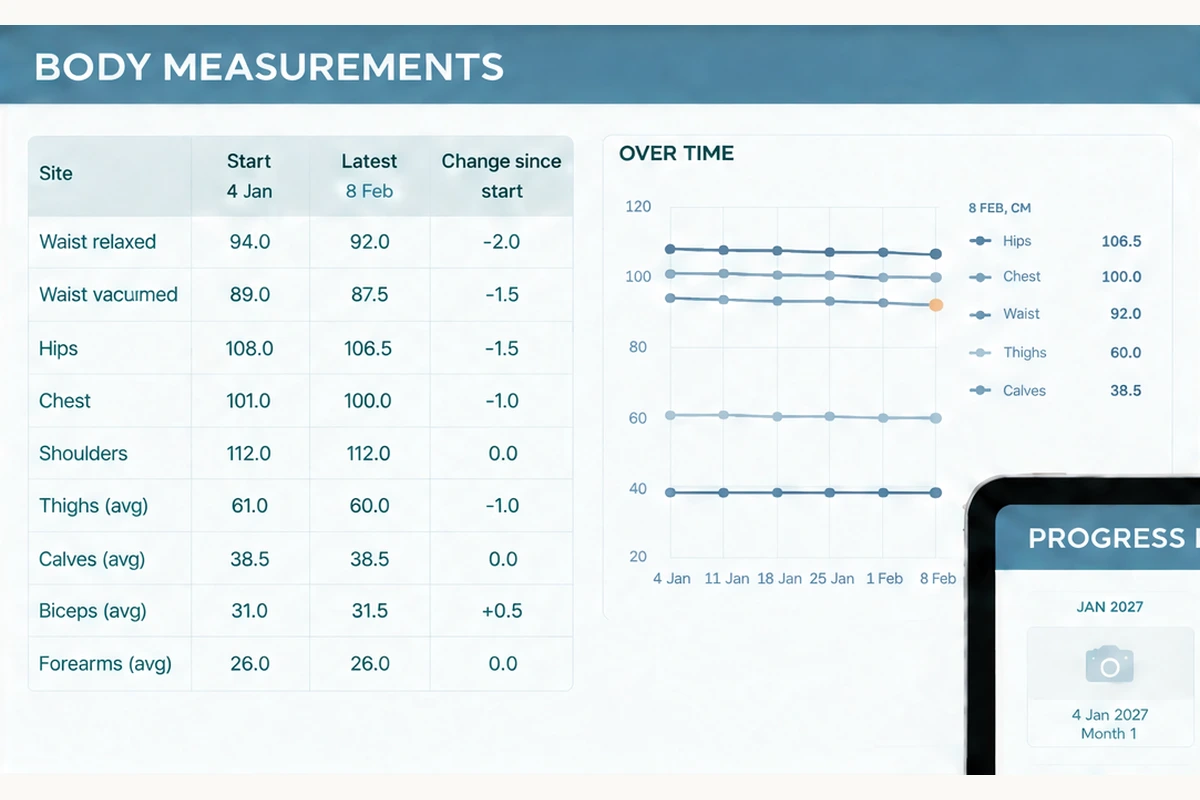
One file that holds weigh-ins, measurements and workouts together means a flat week on the scale isn't the only thing you can check.
Why Trust This Article
We're the Cosmo Suite team that builds the Ultimate Fitness Tracker spreadsheet, so we have a stake in the answer, and we've kept the checklist free in this post. The medical figures come from the Cleveland Clinic and the CDC, linked above and checked on 7 October 2026. The example log is data we invented to show the formula; it isn't from a user. You can read about us and the company behind this site and our editorial policy, or reach us through the contact page. Verify any figure before you act on it. This is about tracking, not medical advice. Talk to a doctor about your health.
Where the Ultimate Fitness Tracker Fits
A template that only holds weight can answer one question, and the scale doesn't always have a clear answer.
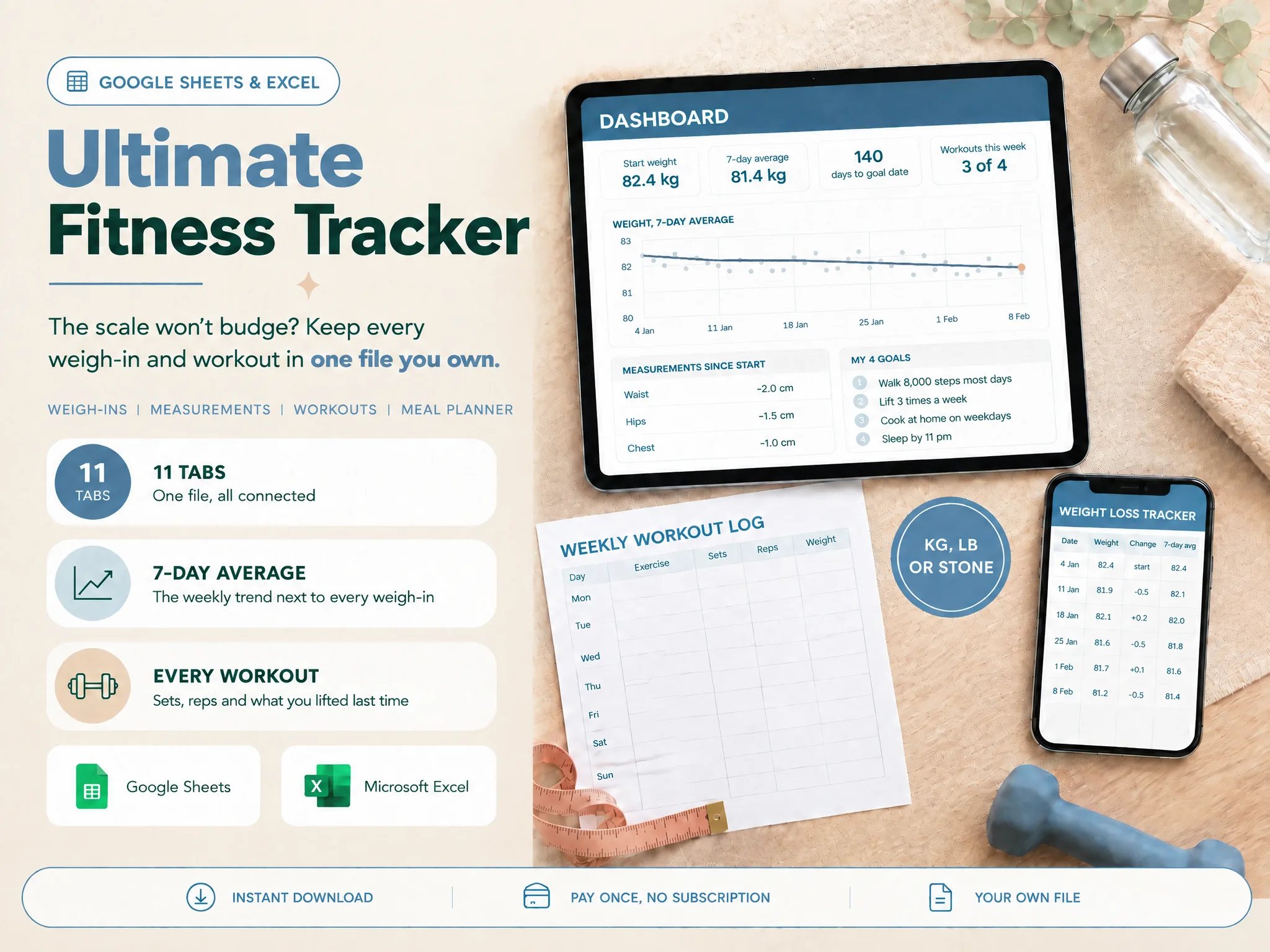
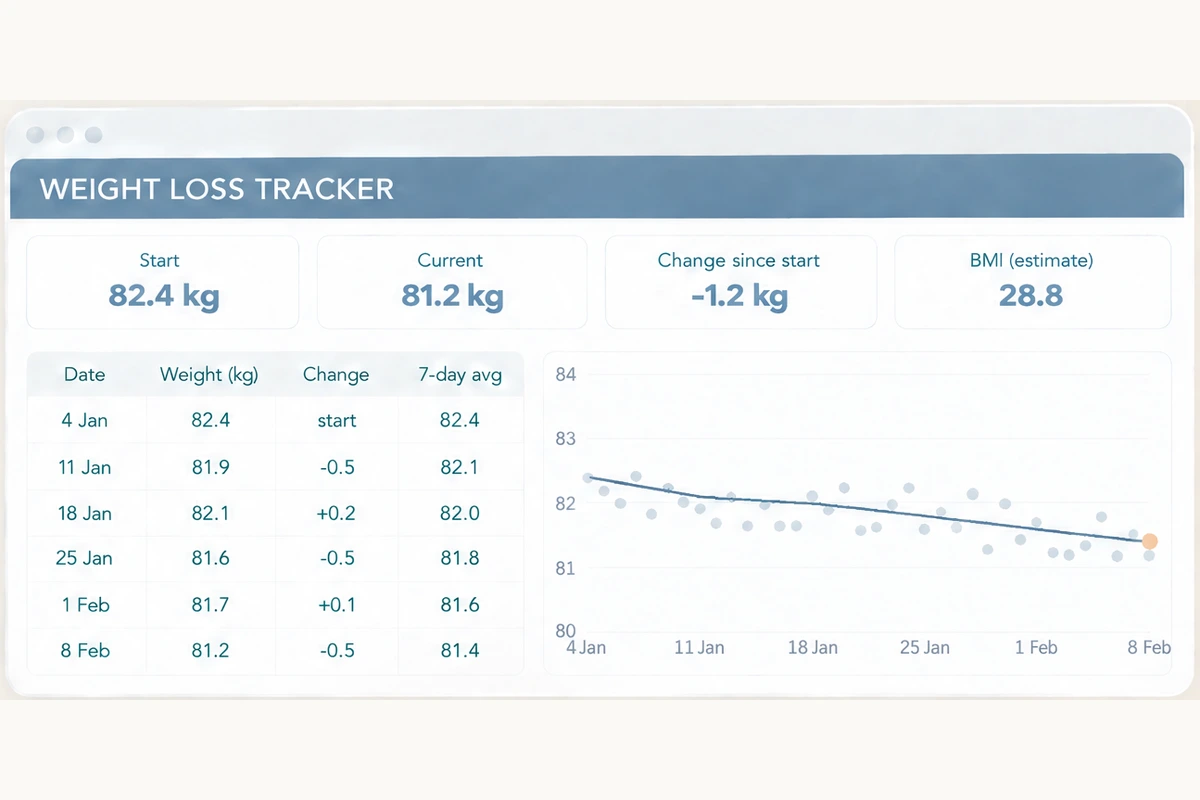
Ultimate Fitness Tracker is a weight loss and workout spreadsheet (ultimatefitnesstracker.site) with 11 connected tabs in Google Sheets and Excel, both included. Each weigh-in gets a 7-day average beside it, plus change since the last weigh-in and since the start, and a weekly trend line. Body weight can be in kg, lb or stone and lb.
It also holds nine measurement sites with change since start, 12 dated progress-photo slots, and a workout log that shows what you lifted last time next to each exercise. Rows are dated and there are no streaks. A calorie tab is optional, with BMI and BMR shown as estimates. Three printable pages come with it: a weekly workout log, a monthly weigh-in and measurements page, and a goal and milestones page.
It doesn't scan barcodes, hold a food database or sync with scales or devices. It's your own file, bought once at $9, with no ads and no account with us. See the weight loss tracker template and its tabs.
Frequently asked questions
What should a weight loss tracker template include?
Dated rows, a 7-day average beside each weigh-in, change since start, body measurements, progress photos, your own units and no streak counters. Calories are optional. A template that only lists weights can't tell you much when the scale stalls.
Is a printable or a spreadsheet template better?
It depends on how you log. A printable is quick and needs no screen, but you work out the average by hand. A spreadsheet does the math for you and draws the chart. Many people keep a printable for the fridge and a sheet for the trend.
Can I use a Notion template for weight tracking?
Yes. Notion handles dated entries well. The 7-day average and the chart usually need a formula or a linked view you set up yourself, so check that the template includes them before you commit to it.
How often should I update the template?
Log each weigh-in the day you take it, and read the 7-day average once a week. Measurements and photos fit every 2 to 4 weeks. If you miss days, add the next entry on its own dated row. Nothing needs to reset.
Do I need to track calories in a weight loss tracker?
No. Many people log only weight, measurements and workouts. If you do add calories, treat the figures as estimates for your own records. This is about tracking, not medical advice.
Is a free template enough?
Often, yes. A free weight-and-date sheet is enough to see the trend. Paying makes sense when you want measurements, photos, workouts and the formulas already linked and tested, instead of building and fixing them yourself.